Basic Monte Carlo Simulations in Tableau

This came through my Twitter feed this morning:

And I looked at the article, and thought, “I can do that in Tableau.” About 20 minutes later, out came a pi estimator:

There’s a circle mark for every iteration, you can crank it up to 1,000,000 marks (on Tableau Desktop I can go to 2,500,000 marks, the Tableau Public Server is a little more limiting). However, the data source only uses two rows, it pads them out using the data scaffolding technique pioneered by Joe Mako where we use Tableau’s domain padding to generate the additional rows. To publish to Tableau Public I needed to use a data extract which does not currently support a random number function, so I used Joshua Milligan’s Random Number Generation post from the Tableau Calculation Reference Library.
A New Compact (Mostly) Filter Layout for Showing All the Options

I’m preparing my Tableau Customer Conference 2013 session and there is way too much material to present in the time available, so I’m killing my darlings with a couple of posts in the next few weeks.

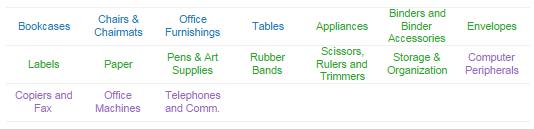
I had a situation where my users needed to select from a basket of hospital quality measures on a dashboard, and since some of the measures were new I wanted the filter to show all of the available options, and based on the dashboard layout there wasn’t really space on either side of the view for a vertically oriented filter.

What I really wanted was to show all the options at the top of the dashboard, I ended up getting a little creative and coming up with a new  filter layout. Read on to find out how!
Continue reading

Top 10 Table Calculations – The Next N, Where N >= 15

Last year I did the big workbook on conditional formatting to answer some really common questions on the Tableau Community Forums. One of my projects lately has been to do the same for table calculations, which are incredibly powerful, sometimes incredibly complicated, and I believe underutilized. Tableau put together a set of Top 10 Table Calculations, here’s a list I’ve compiled of the next N most-commonly useful table calculations, based on volume of questions on the forums and relative ease of construction (there’s no densification, domain padding, domain completion, or any of that stuff in this batch):

  1. Filter Without Affecting Results
  2. Filter Top N Without Affecting Results
  3. Filter 1st Time Period from Difference from Prior
  4. Sorting by a Table Calc
  5. Comparing Selected to Group
  6. Aggregating at Different Levels…
  7. …And Returning Fewer Results
  8. Filtering Out Extra Marks by Using a Duplicate on the Filters Shelf
  9. Nesting Table Calculations to Aggregate in Different Directions
  10. Performance – One Computation to Return Same Result to All Rows
  11. How Many of X Did How Much of Y
  12. Title Showing Date Range
  13. Jittering a Scatterplot
  14. Extending an Axis with an Invisible Reference Line
  15. Making a String List

And of course, there’s a workbook with instructions! Click to view and download the next N table calculations workbook on Tableau Public or click the image below:

9. Nesting Table Calculations

I can’t claim to have originated any of these calculations, thanks to Ross Bunker, James Baker, Joe Mako, Andy Cotgreave, Richard Leeke, and others I’m sure I’m forgetting for their work!

If you have any other really common uses for table calculations, leave a comment!

Why is COUNTD(Customer Name) red?

Last week I’d promised to explain why the solution for identifying whether All items in a Tableau Quick Filter were selected wouldn’t work under certain circumstances in Tableau version 8, here it is, and along the way I’ll explain why COUNTD(Customer Name) could be red and the “Cannot blend the secondary data source because one or more fields use an unsupported aggregation.” warning message.

Continue reading